

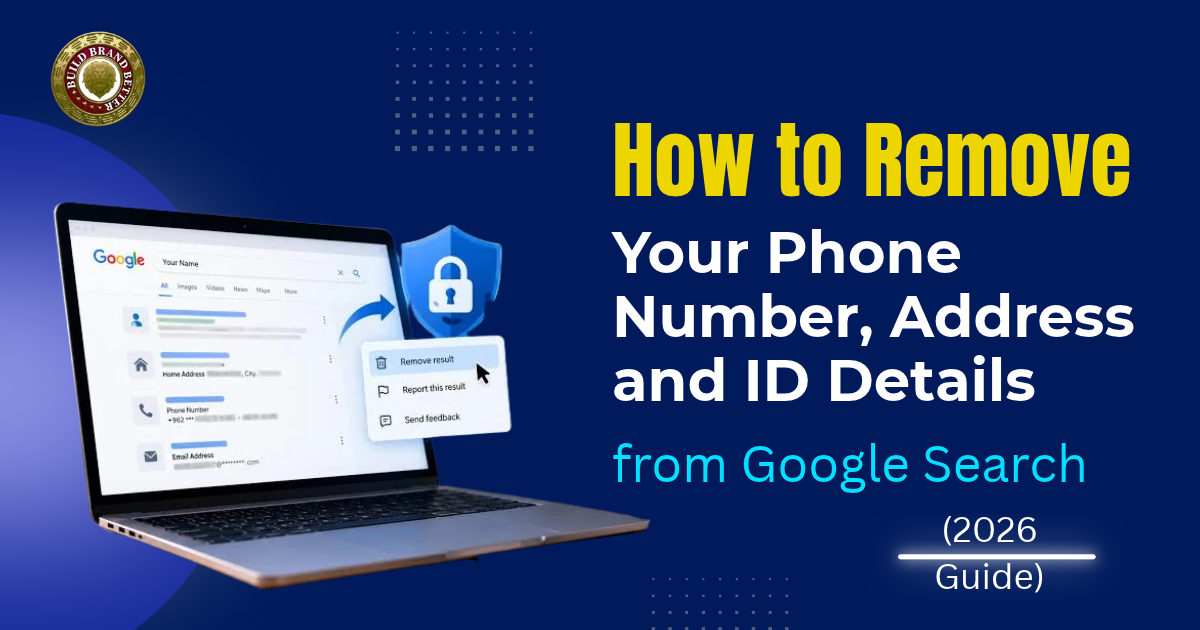
Many people search for their own name on Google at some point and find details they did not know were there. It can be a phone number on a directory site, an old home address, or a scanned form that shows an ID number. In this guide, we will explain how to remove personal information from Google in 2026. We will also cover how to remove my address from Google India, and the same steps work for phone numbers and ID details.
One thing to understand first is that Google can only remove a result from its own search. The page stays on the website until the owner deletes it. So there are usually two jobs: getting the result out of Google and getting the page itself removed. All of this comes under personally identifiable information (PII) removal, which just means removing details that can point to you, like your phone number, address and ID numbers.
What Google Removes and What It Does Not?
Google’s policy on personal information covers these things:
- Your home address, phone number or personal email
- Government ID numbers, which in India would be things like Aadhaar and PAN
- Bank account and card numbers
- Pictures of your signature or ID documents
- Login details and some private records
Google does not remove everything, though. If your contact details are on a government, college or newspaper website, Google usually says no, because it thinks the public may need that information. A bad review or a negative article is also not counted as personal information, so that needs a different approach. And even when Google accepts your request, the page is still live on the website. Anyone who has the direct link can open it, and other search engines may still show it.
How to Use Results About You?
The easiest place to start is Google’s own tool, Results About You. It has been available in India since 2025, and Google said in February 2026 that over 10 million people use it. These are the steps:
- Open the Google app, tap your profile photo and choose Results about you.
- Tap Get started and add your name, phone numbers, home address and email. Add old ones too, like a flat you moved out of.
- Google then scans Search and sends you a notification when it finds a match.
- Open the match and tap Request to remove.
- You can check the status of the request in the same place.
Sometimes a website deletes your details, but Google keeps showing the old version for a while. In that case, use the three-dot menu next to the result and ask for a refresh, and Google will check the page again.
How Can We Help?
At Build Brand Better, we have a Remove Private Info service for this kind of cleanup. You can send us the links you found, and we will help with the removal requests and the follow-up. If you want to try it yourself first, the steps above are enough.
- Removing Your Phone Number.
Most people who want to remove phone number from Google search are surprised by how many places their number is listed. Search the number alone first, then with +91 in front, and then with spaces between the digits. It is often on business directories, old classified ads, forum posts and caller ID apps.
Send a request for each page through Results about you or Google’s personal information removal form, and also write to the website asking them to delete the number. For caller ID apps like Truecaller, you can unlist your number from inside the app, which is faster than filling out any form.
- Removing Your Address.
A lot of people type how to remove my address from Google India and end up on articles written for the US. The steps are the same here, but Indian addresses usually show up in different places. Think of property listing sites, old court documents, scanned college or society forms and event invites.
Search your name with your city, and then your building or street name on its own. If the address is on an official register or a government site, Google will most likely refuse, so you would have to write to that department directly. For everything else, do the same two things as before.
- Aadhaar, PAN and Other ID Numbers.
In our view, you should do this one first, because someone can misuse an ID number for fraud. For this kind of personally identifiable information (PII) removal, time matters more than anything. Google added ID number monitoring to Results About You on 10 February 2026, but it started in the US, and other regions are planned. If you do not see it on your account in India, use Google’s personal information removal form instead. The form takes requests about ID numbers, bank and card details and pictures of ID documents.
Aadhaar also has some protection under the law. Section 29(4) of the Aadhaar Act does not allow an Aadhaar number to be published in public, so you can mention that when you write to the website and ask them to delete the page or black out the number. If a bank or card number is showing, call your bank first. If someone has already tried to misuse it, you can call 1930, which is the cyber financial fraud helpline.
- When Someone Posts Your Details to Harm You.
Searches like ‘doxxing removal’ on Google usually come from a stressful situation, where someone has posted your number and address with threats or asked other people to harass you. Google handles this separately from a normal request. A page can qualify if it shows your details along with a threat or a call to harm you, or if it collects a lot of your personal information without any good reason. Use the doxxing report form with the exact URL, and send doxxing removal Google requests on the same day if you can.
Take screenshots first, with the full URL and the date. India does not have an offence called doxxing in the Bharatiya Nyaya Sanhita, but the acts around it are covered. Posting someone’s details with a threat can be criminal intimidation under section 351, and a man repeatedly contacting or tracking a woman online can be stalking under section 78. You can report to the police or on the National Cyber Crime Reporting Portal while the Google request is going on.
Our Part
If a post is spreading across several sites, we at Build Brand Better can help with the content removal side while you take care of the police report. If you need a legal notice or a court order, that is a job for a lawyer.
Getting the Page Taken Down
Start with the website owner. Write the exact URL and the details you want deleted, and keep their reply. Once the page is gone, ask Google for a refresh.
If the page is on a platform, like a social media site or a forum, use its Grievance Officer. Since 20 February 2026, the amended IT rules say platforms have to resolve complaints within 7 days and act on privacy-invasive content within 36 hours. For nude or morphed images, the limit is 2 hours, and for court orders, it is 3 hours. If your complaint is rejected, you can appeal to the Grievance Appellate Committee within 30 days. In the complaint, say that the content invades your privacy and mention the exact details that are being shown.
The Digital Personal Data Protection Act also has a right to erasure, but it is not in force yet. The main rights start on 13 May 2027 and mostly cover data you gave to organisations, so they will not help against a stranger’s blog post.
Keeping Your Details Off Google Later.
Search for yourself every few months in a private window, using your name, your city, and your phone number alone. Keep the alerts on in Results about you, so Google tells you when something new shows up. Try not to put your number or address in public bios or open forms.
Monitoring.
If you do not want to keep checking this yourself, we offer personal brand monitoring at Build Brand Better, and you can start with a free consultation.
Final Thoughts
If you want to remove personal information from Google, the order is fairly simple. Send the request through Results about you, ask the website to delete the page, and then ask Google for a refresh. Some requests will be refused, mostly on government and news pages, and you can try again with better details. Be careful with anyone who promises results for every link. Once you remove phone number from Google search, check again after a month, because old copies sometimes come back on other sites.
Frequently Asked Questions
Q1. How do I remove personal information from Google?
Use Results About You if you want ongoing alerts, or Google’s Personal Information Removal Form for a single page. Google only removes the result, so you should also ask the website to delete the page.
Q2. Can I remove phone number from Google search for free?
Yes. Results about you and Google’s removal forms are free. A paid service only makes sense when many pages are involved.
Q3. What if a website will not delete my address?
If you are stuck on how to remove my address from Google India because the site is ignoring you, still send the removal request to Google. After that, you can use the platform’s Grievance Officer or talk to a lawyer.
Q4. Does Google remove Aadhaar or PAN numbers?
Yes, through its personal information removal form, if a search result shows the number. The page stays online, so ask the website to delete it too.
Q5. Is doxxing a crime in India?
Not under that name, but the acts around it can be crimes. For doxxing removal, Google has a separate report form, and you can file a police complaint at the same time.
Q6. Do results about you work in India?
Yes, for phone numbers, addresses and emails. ID number monitoring started in the US first, so use the removal form if you do not see it.
Q7. What does personally identifiable information (PII) removal include?
It includes anything that can point to you, like contact details, ID numbers, bank details and signature images. Google handles the search results, and the website owner handles the page.
