

What does this blog covers:
This guide explains how to get a Google Knowledge Panel in India, what Google decides on its own, and what you can control. You will learn how to claim Knowledge Panel access when it appears, where a Wikidata entry fits in, and how a Knowledge Panel for a person differs from one for a brand. A short checklist and seven FAQs are at the end.
What is a knowledge panel, and who controls it?
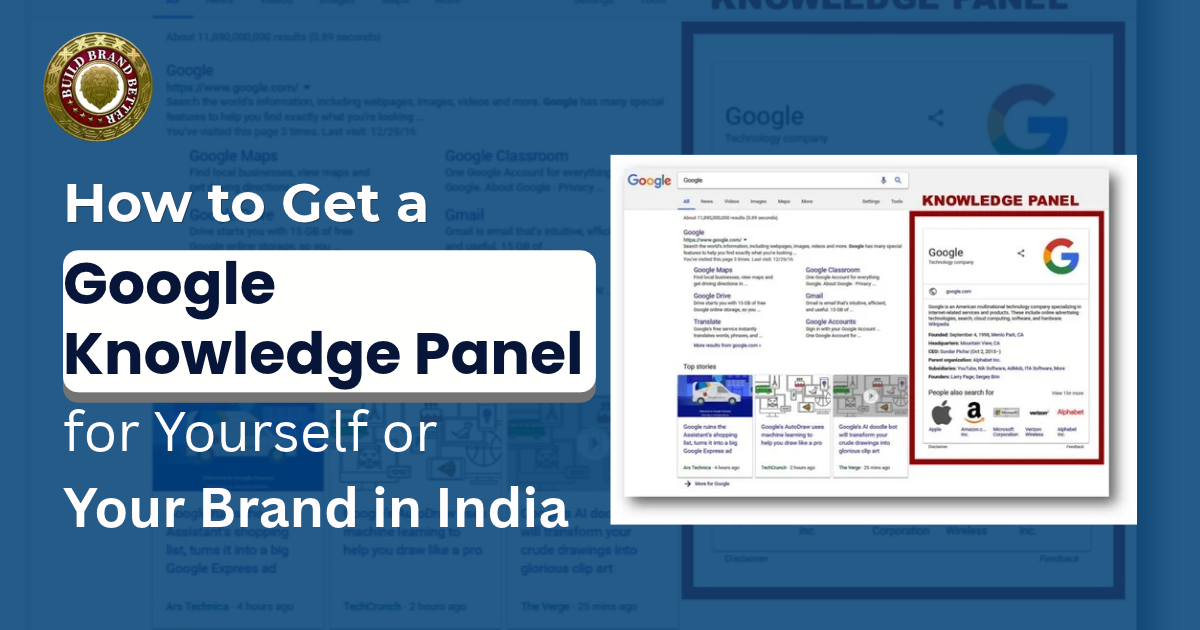
A Knowledge Panel is the information box Google shows when you search for a person, company, place or thing it already knows about. Google says these panels are created automatically from many sources across the web, so there is no form to fill out and no fee that puts you in one.
This matters if you have typed ‘how to get a knowledge panel for my name India into Google and hoped for a simple application. There isn’t one. What you can do is make yourself easy for Google to identify, and then take control of the panel once it shows up.
Person, brand or local shop: which one are you?
| Basis: | Knowledge Panel for a Person: | Brand or organisation panel: | Local shop or clinic: |
| Who it suits? | Founder, author, doctor, artist | Startup, agency, school, NGO | Salon, restaurant, dental clinic |
| What does Google need? | A clearly identifiable individual | A clearly identifiable company | A real location or service area |
| Where do you manage it? | “Claim this knowledge panel” button | Same button | Google Business Profile |
Google treats business profiles as a separate product for businesses that serve customers at a particular location or area. A single clinic in Pune should start there. The steps below suit a person or a brand.
- Step 1: Check what Google already shows.
Search your full name and your brand name in a private window. Look at the bottom of the panel for the claim link. Google says the option may also sit inside the About section and that some panels cannot be claimed yet.
Also check whether your panel is mixed up with someone who has a similar name. Google lists mixed-up panels as an issue its support team can help with.
- Step 2: Get written about by people other than you.
Google and Wikidata editors both look for sources that are independent of the subject. Your own bio, your LinkedIn page or a paid press release only shows what you say about yourself. An interview in an industry magazine, a feature in a national or regional paper, a speaker listing on a conference site or an entry on your professional body’s website carries more weight.
Hypothetical example: Say a Pune architect has only her own website and a LinkedIn page. After two interviews in design magazines and a listing on her council’s website, three independent pages name her, her profession and her city. That gives Google’s systems much more to connect than her own pages alone.
Wikipedia is stricter. It strongly discourages writing your own biography and says that if nobody else has written about you, you may not meet its notability bar yet.
- Step 3: If you consider having a Wikidata entry, it may be right for you only in case you meet certain criteria.
Wikidata is a free knowledge base managed by the Wikimedia Foundation. Although many SEOs consider that a Wikidata entry serves as a positive signal, no official confirmation from Google has been provided yet. It may be created if it has a link to some other Wikimedia project, describes an identifiable entity based on reputable sources, or is needed for structural purposes.
The bar is lower than Wikipedia’s, but it is not open to everyone. Editors generally do not accept IMDb, ISNI, Crunchbase or Discogs alone as proof. As far as Wikidata does not accept data outside its notability guidelines, a Wikidata entry without references other than your website will be deleted.
In case you meet certain requirements, you should do the following:
- Create an account using your real name, not the brand name.
- Specify the label, description and the type of the entity (person, company, etc.).
- Add facts like occupation, founding date or official website, each with an outside source.
- Be open about your link to the subject, as Wikipedia’s conflict of interest guide advises for anyone editing about themselves or people they know.
- Wikipedia
A Wikidata entry does not force Google to show a panel. It only gives your name a clean, sourced record to point to.
- Step 4: The next step is to make your website a primary reference.
Add an About page with your full name, a brief biography, a photo and links to your official profiles.
Make sure those profiles link back. Keep names, job titles and dates identical everywhere. Google can flag mismatches, and they can delay verification.
Person or organisation structured data with sameAs links is worth adding. Just don’t expect too much from it, because it helps Google read your site but does not control the panel or speed up the claim step.
- Step 5: Prepare your verification accounts early.
Google lets you verify through YouTube, Search Console, Twitter or Facebook profiles tied to the entity. Add your official website to Search Console now and use the account linked to that site. Using a personal Gmail instead of the official account can complicate verification.
What do we see at Build Brand Better?
At Build Brand Better, people often ask us about panels before they have looked at their first page of Google results. Our online reputation audit covers search results, brand mentions, reviews, social sentiment and negative content, and it ends with a roadmap of what to fix. We cannot create a panel for you, and we don’t promise one. What we can show you is what Google displays for your name today, and that is where most panel work starts.
How to claim a Google Knowledge Panel once it appears?
Here is how to claim a Google Knowledge Panel, based on Google’s own help page:
- Sign in to your Google account, or create one.
- Search for yourself or your brand.
- Click “Claim this knowledge panel” at the bottom or in the About section. On mobile, tap the menu first.
- Review the information shown.
- Sign in to one of the official profiles listed.
If Google cannot find any sites linked to you, it asks for more details to verify you. Some guides report that Google may ask for an ID and screenshots in that case, so keep them ready.
Once you are verified, you can suggest changes and add other people as owner, manager or contributor. Managers can suggest changes and add or remove users. Contributors can only suggest changes.
If you cannot claim Knowledge Panel access yet:
Sometimes the button is missing, or you see a message that someone is already managing the panel. In that case, use the Feedback link below the panel while signed in with the email you verified with, flag the wrong fact and add links that prove the correction.
If someone else holds the panel and you can’t tell who, there is a route for that too. Google’s account recovery process emails the current managers and waits three business days, and if they don’t reply, the panel becomes claimable again.
Mistakes that slow things down:
| Mistake: | Why does it hurt? | Better move: |
| Writing your own Wikipedia page | Wikipedia discourages autobiographies. | Work on independent coverage first. |
| Using IMDb or Crunchbase alone for Wikidata | Editors generally reject them as sole proof. | Add news articles or official records. |
| Different bios across profiles | Mismatches can delay verification. | Use one bio and one name format. |
| Verifying with a personal account | Can complicate the claim | Use the account tied to your site. |
| Trusting a “guaranteed panel” offer | Google says panels are created automatically. | Ask what independent proof they will build |
Where can we help?
For individuals, we offer personal branding and personal brand monitoring. In simple terms, that means making sure your name shows up in accurate, consistent profiles and keeping an eye on new mentions. We would suggest doing Steps 1 and 2 prior to making any payments, as independent coverage is impossible to replace with something else.
Quick checklist:
| Task: | Done when: |
| Searched name and brand | You know if a panel exists and if it is claimable. |
| Independent coverage | At least a few outside pages name you clearly. |
| Official website | The About page and matching profile links are live |
| Search Console | Your site is added under your official account. |
| Wikidata entry | Only if you meet its notability rules |
Conclusion
How to get a Google Knowledge Panel comes down to being clearly documented by sources other than yourself, then keeping your own pages consistent. If you have been wondering how to get a knowledge panel for my name India start with independent coverage and a tidy website, not with shortcuts. When the panel appears, claim Knowledge Panel control quickly so you can suggest corrections. If you’d like a second pair of eyes on your search results first, we at Build Brand Better are happy to look at them with you.
FAQs
Q1. Is there a way to apply for a knowledge panel?
No, Google creates them automatically, so the practical route is building independent sources and then claiming the panel when it appears.
Q2. How do I know how to claim a Google knowledge panel if I see the button?
Search your name, click “Claim this knowledge panel”, and sign in to one of the official Google lists of profiles, such as YouTube or Search Console.
Q3. Do I need a Wikipedia page to get one?
Google has not said you do. Wikipedia also discourages writing your own page, so outside coverage is the safer place to put your effort.
Q4. Is a Wikidata entry enough on its own?
No. It is an official source for your name, but it doesn’t mean that a panel will definitely be created.
Q5. How long does it take?
Google doesn’t offer any time frames, but it depends on the amount of independent coverage for you.
Q6. Can I fix wrong information in my panel?
Yes. Once verified, you can suggest edits, and before that, you can use the Feedback link with proof links.
Q7. Does Knowledge Panel equal Google Business Profile?
No. ‘Business Profile’ applies to businesses that provide services to clients in a certain location, while ‘panels’ are for individuals and organisations.
